Preload
GTA 6 Download Time, Size and Storage: Preload Checklist
The short answer
GTA 6's size is not announced yet. Download times at every speed, how to free and add space on PS5 and Xbox, and a checklist for the November 12 preload.
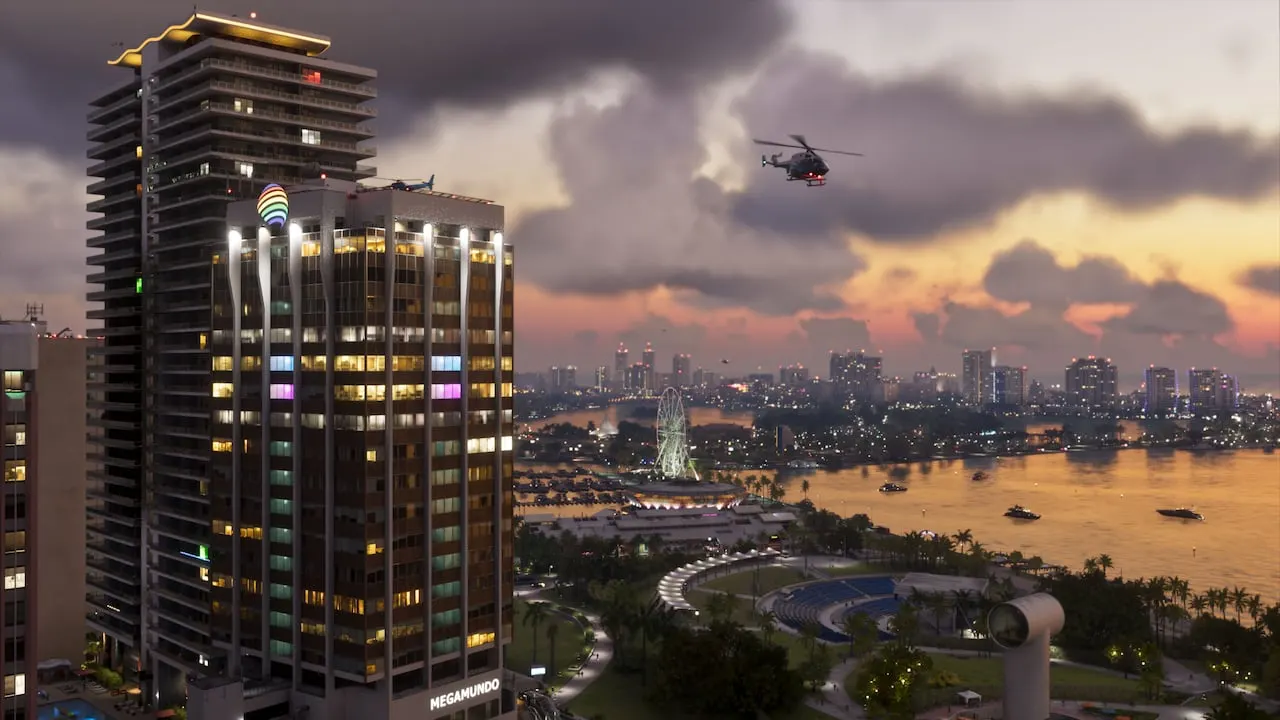
GTA 6's download size is not announced, so nobody can tell you exactly how long it will take. What you can work out today is how long it would take at your speed, whether your console has room, and how to set it up so the preload finishes on its own after it opens at local midnight on November 12, 2026.
This page does that maths and lists every setting, with Sony's and Microsoft's own steps. The moment the PlayStation Store or the Xbox Store shows a real size on November 12, we will put it at the top of this page and in the tables below.
What is confirmed about the preload
| What | Status | Based on |
|---|---|---|
| Preloading opens at local midnight on November 12, 2026 | Confirmed | Rockstar Support |
| Digital pre-orders can preload | Confirmed | Rockstar Support |
| The boxed version holds a download code, not a disc | Confirmed | Rockstar Support and the Rockstar Store |
| Boxed codes redeemed before launch preload on November 12 too | Confirmed | Rockstar Support |
| Boxed copies reach shops and start shipping from November 12 | Confirmed | Rockstar Support and the Rockstar Store |
| The game unlocks on November 19 | Confirmed date, unconfirmed hour | See release time |
| Download and install size | Not announced | No size on either store on October 11, 2026 |
| Day-one patch | Not announced | Rockstar has not mentioned one |
Rockstar's support page puts the boxed version plainly: it "will contain a download code that can be used for the digital download of the game. A disc will not be included in the box." So every copy of GTA 6, boxed or digital, is a download that needs the full space on your console.
How long the download will take at your speed
Until the real size is out, here is the time a download of each size would take at a steady speed. We count a gigabyte as 8,000 megabits, the way internet plans are sold. Real downloads run slower than this, because of Wi-Fi, other devices on your network and launch-week demand on the stores' servers, so treat these as the best case.
| Your speed | 100 GB | 150 GB | 200 GB | 250 GB |
|---|---|---|---|---|
| 25 Mbps | 8 h 53 min | 13 h 20 min | 17 h 47 min | 22 h 13 min |
| 50 Mbps | 4 h 27 min | 6 h 40 min | 8 h 53 min | 11 h 07 min |
| 100 Mbps | 2 h 13 min | 3 h 20 min | 4 h 27 min | 5 h 33 min |
| 300 Mbps | 44 min | 1 h 07 min | 1 h 29 min | 1 h 51 min |
| 500 Mbps | 27 min | 40 min | 53 min | 1 h 07 min |
| 1,000 Mbps | 13 min | 20 min | 27 min | 33 min |
To work it out yourself: hours = size in GB x 8,000 / your speed in Mbps / 3,600. Your speed is what the console's own connection test shows, not what your plan advertises. On PS5 that test is in Settings, Network, Connection Status, Test Internet Connection.
Our take: the preload is a full week, so even the slowest row finishes in time if you start on November 12. The people who miss the start on November 19 will be the ones who buy on launch night, or whose console was full. That is why the space check below matters more than your speed.
Will it fit? Usable space on each console
Polygon's estimate, the most careful one around, is that GTA 6 could approach or pass 200 GB. Plan for more than the game itself: Sony's own help page for a PS5 storage error warns that when installing, "it may be necessary to reserve approximately twice the free space required". Our storage checker measures your free space against Polygon's estimate and a 250 GB safety margin; if your console can spare more, clear more.
| Console | Drive | Usable for games |
|---|---|---|
| Xbox Series S | 512 GB | About 364 GB (IGN) |
| PS5, original | 825 GB | About 667 GB (IGN) |
| Xbox Series X | 1 TB | About 802 GB (IGN) |
| PS5, 1 TB model | 1 TB | About 842 GB (Digital Trends) |
| PS5 Pro | 2 TB | Sony lists 2 TB; no usable figure published |
| Xbox Series S 1 TB, Series X 2 TB | 1 TB, 2 TB | No usable figure published |
How to free space before November 12
On PS5, go to Settings, Storage, Console Storage, Games and Apps, pick what to remove, then Delete. Sony points out that you "won't lose access to any deleted games or applications": you can download your purchases again from your game library. Some games offer a Customize option to delete only parts, such as add-ons you no longer use.
Your saves are separate from the game files, but back them up anyway: PlayStation Plus members get cloud storage for up to 100 GB of PS5 saved data.
On Xbox Series X|S, uninstall games and apps you are not playing. Microsoft says your saved games sync online when you sign in, "so when you reinstall a deleted game or app, your saved data comes right back with it."
A rule of thumb that saves time: sort by size and remove the one or two largest games you have finished, rather than ten small ones.
Adding storage: what can run GTA 6 and what cannot
GTA 6 has to run from fast internal-grade storage. A cheap USB hard drive can hold it, but not play it.
| PS5 and PS5 Pro | Xbox Series X|S | |
|---|---|---|
| Can play GTA 6 | An M.2 NVMe SSD in the console's expansion slot: PCIe Gen4 x4, 250 GB to 8 TB, 5,500 MB/s or faster recommended, with a heatsink or heat transfer sheet | The Storage Expansion Card, in 512 GB, 1 TB or 2 TB |
| Can store GTA 6, not play it | A USB drive, 250 GB to 8 TB, SuperSpeed USB 5 Gbps or faster | A USB 3.1 hard drive or SSD |
| What the console maker says | "PlayStation 5 games can't be played directly from USB extended storage" | Optimized for Series X|S games "must be installed on the console's internal SSD" or the Storage Expansion Card |
The Xbox Store lists GTA 6 as Optimized for Xbox Series X|S, so the Xbox rule applies to it. Sony's M.2 guide covers every PS5 model group, from the original to the Pro, and notes that M.2 storage "can be used to download, copy, and launch PS5 games and PS4 games".
The useful trick with a USB drive is to park your other games on it. On PS5, move them from the Game Library with Options, then Move Games and Apps, and copy them back when you want to play. That frees the internal drive for GTA 6 without deleting anything.
Set the console to preload on its own
PS5
- Go to Settings, System, Power Saving, Features Available in Rest Mode, and turn on Stay Connected to the Internet. Sony says rest mode can then download "pre-ordered games to your console".
- Turn on Enable Turning On PS5 from Network, so the PlayStation App can wake the console.
- Go to Settings, Saved Data and Game/App Settings, Automatic Updates, and turn on Auto-Download and Auto-Install in Rest Mode. Sony: "If you pre-order on PlayStation Store and set up automatic downloads, your content will start downloading as soon as it's available."
- Away from home? The PlayStation App can start a download, as long as the console is in rest mode with Stay Connected to the Internet on.
Xbox Series X|S
- Set the power option to Sleep. Microsoft says remote features, including installing games from the Xbox app or Xbox.com, do not work otherwise.
- In Profile and system, Settings, System, Updates, keep Keep my games and apps up to date ticked.
- Leave the console asleep, not unplugged, on the night of November 11 to 12.
Before you preload on PlayStation: the refund catch
Preloading has a cost on the PlayStation Store. Sony says a pre-order can be cancelled for a refund only if you "have not started to download the main part of the pre-order content (including pre-loading before release)", and warns that downloads "will happen automatically if auto-downloads are enabled". If you are still unsure about your edition, decide before November 12. Our edition picker takes three questions.
Download faster on launch week
- Use a cable. Sony and Microsoft both suggest a wired connection to the router where you can.
- Pause everything else. Xbox suggests pausing downloads on other devices on your home network, and notes that a game running, even in the background, can slow a download.
- Let it run overnight. Xbox suggests starting big downloads late in the evening. The preload week makes that easy.
- Stuck at a percentage? Pause and resume it from the downloads list first. Our server status and error code guide has the platform fixes and the status pages to check.
What happens on November 12
Once the preload opens, the size shows on your console as the download starts, and we will add the real number to this page that day, replace the 100 to 250 GB columns with the actual size, and update the storage checker to match.
Questions people ask
How long will GTA 6 take to download?
It depends on the size, which Rockstar has not announced, and your connection. A 200 GB download takes about 4 hours 27 minutes at a steady 100 Mbps and about 53 minutes at 500 Mbps. The preload week gives even slow connections time to finish.
How big is GTA 6?
Not announced. Neither the PlayStation Store nor the Xbox Store listed an install size when we checked on October 11, 2026. Polygon expects it could approach or pass 200 GB. We will update this page the day the stores show a real size.
Can you play GTA 6 from an external hard drive?
No. A PS5 cannot play PS5 games from USB storage, and an Xbox Series X|S cannot play games optimized for Series X|S from a USB drive. You can store the game there, but it must run from the internal drive, a PS5 M.2 SSD or an Xbox Storage Expansion Card.
Can I cancel my GTA 6 pre-order after preloading?
Not on PlayStation. Sony says a pre-order can be cancelled only if you have not started to download the main part of it, pre-loading included, and auto-downloads start that on their own.
When does the GTA 6 preload start?
At local midnight on November 12, 2026, for digital pre-orders and boxed codes redeemed early, according to Rockstar.
Do I need to leave my console on to preload GTA 6?
Rest mode is enough. On PS5, turn on Stay Connected to the Internet under the rest mode settings; on Xbox, set the power option to Sleep. Both consoles can then download while you are away.
Sources
- Grand Theft Auto VI Platforms, Editions, and Versions (Rockstar Support) (Aug 18, 2026)
- Grand Theft Auto VI (Rockstar Store: pre-load and code-in-box shipping) (Oct 11, 2026)
- Grand Theft Auto VI (PlayStation Store, US listing) (Oct 11, 2026)
- Grand Theft Auto VI (Xbox Store, US listing: Optimized for Xbox Series X|S) (Oct 11, 2026)
- How to cancel a PlayStation Store pre-order (PlayStation Support) (Oct 11, 2026)
- How to manage storage space on PS5 consoles (PlayStation Support) (Oct 11, 2026)
- How to add M.2 SSD storage to PS5 consoles (PlayStation Support) (Oct 11, 2026)
- How to use USB extended storage with PS5 consoles (PlayStation Support) (Oct 11, 2026)
- How to set up automatic downloads and updates on PlayStation consoles (PlayStation Support) (Oct 11, 2026)
- PS5 power saving and rest mode features (PlayStation Support) (Oct 11, 2026)
- PlayStation App features: remote downloads (PlayStation Support) (Oct 11, 2026)
- Troubleshoot a downloaded PlayStation game (PlayStation Support: test your connection) (Oct 11, 2026)
- PS5 cloud storage for saved data with PlayStation Plus (PlayStation Support) (Oct 11, 2026)
- PS5 Pro (PlayStation.com: 2TB of SSD storage) (Oct 11, 2026)
- Manage storage on your Xbox console (Xbox Support) (Oct 11, 2026)
- Use the Storage Expansion Card for Xbox Series X|S (Xbox Support) (Oct 11, 2026)
- Xbox Series X and Xbox Series S: custom storage solution primer (Xbox Wire) (Sep 24, 2020)
- PS5 error CE-107872-5 (PlayStation Support: reserve about twice the free space when installing) (Oct 11, 2026)
- PS5 error NP-102947-3 (PlayStation Support: use a wired connection if possible) (Oct 11, 2026)
- Troubleshoot slow game or app downloads on Xbox (Xbox Support) (Oct 11, 2026)
- Manage network bandwidth for game downloads (Xbox Support) (Oct 11, 2026)
- Install games remotely on your Xbox console (Xbox Support) (Oct 11, 2026)
- PS5 Has 667GB of Usable Storage Space (IGN, with Xbox Series X and S figures) (Nov 6, 2020)
- The new 1TB PS5 has more usable storage space than Xbox Series X (Digital Trends) (Nov 9, 2023)
- 10 Biggest GTA 6 Questions the Previews Haven't Answered Yet (Polygon) (Sep 30, 2026)
Last checked: . Spotted something wrong? Tell us and we fix it fast.
Comments
Be kind and stay on topic: no slurs, spam, links to unknown sites or leaked material. A moderator checks reports every day. Community rules
Loading comments...