Launch help
GTA 6 Server Status and Error Codes: Is It Down?
The short answer
GTA 6 is not out until November 19, so its servers can't be down yet. Where to check PSN, Xbox and Rockstar status, and fixes for download errors.
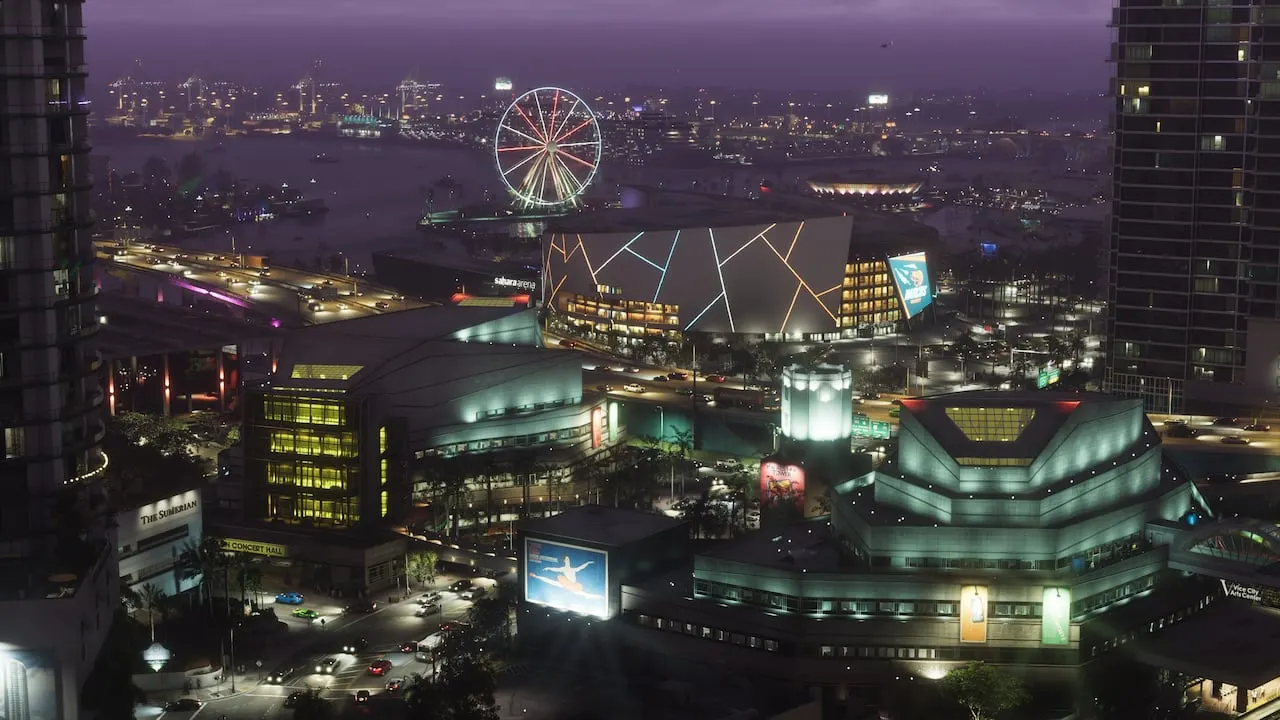
GTA 6 has no servers to go down yet: the game launches on November 19, 2026, and preloading opens on November 12. Until then, a "GTA 6 problem" is a PlayStation or Xbox problem with downloading, a license or a code, and each of those already has a documented fix from Sony or Microsoft, collected below.
Rockstar's own service status page lists GTA Online, Red Dead Online and its account services, but not GTA 6 (checked October 11, 2026). We will add GTA 6's row and its first error codes the day Rockstar publishes them.
Is GTA 6 down? The three pages to check
| Service | Status page | What it covers |
|---|---|---|
| PlayStation Network | status.playstation.com | Account management, Gaming and social, PlayStation Video, PlayStation Store, PlayStation Direct |
| Xbox | support.xbox.com/xbox-live-status | Eleven areas, including Account and profile, Games and gaming, Store and subscriptions, and Cloud gaming and remote play, each marked Up and running, Limited or Major outage |
| Rockstar Games | support.rockstargames.com/servicestatus | GTA Online on PS5, PS4, Xbox Series X|S, Xbox One and PC; Red Dead Online; Rockstar sign-in, the Rockstar Games Launcher and the Rockstar Store |
On launch week, the PlayStation Store and Xbox Store rows matter most: buying, redeeming codes and downloading all run through them. Xbox's page lets you sign in to get a notification when a service with an alert recovers.
Our take: GTA 6 launches as a single-player game, so a launch-night outage should stop people buying and downloading rather than playing. The players who get stuck will be the ones whose console cannot check their license, which two settings below fix in advance.
Set this up now: offline play for your license
Both consoles let your main console play your digital games without checking with the servers. Turn it on before November 19 and an outage on launch night matters much less.
| PS5 | Xbox Series X|S | |
|---|---|---|
| Setting | Console Sharing and Offline Play | Make this my home Xbox |
| Where | Settings, Users and Accounts, Other, Console Sharing and Offline Play, Enable | Xbox button, Profile and system, Settings, General, Personalization, My home Xbox |
| What it does | Anyone using the console can "play your games and media even when the console is offline" | "Your home Xbox also lets you play your digital games offline" |
| Limits | One PS5 at a time. It is on by default for the first PS5 you sign in on, and the user who turns it on should be the one who bought the game | One home Xbox at a time, switched up to five times a year |
PS5 download and install errors
Every code below is from Sony's own error list, with Sony's fix in short. None is specific to GTA 6.
| Code | What Sony says | Sony's fix, in short |
|---|---|---|
| CE-107928-7 | An error stopped the game from downloading | Delete the game, download it again without turning the console off, test your connection, and restart your router (off for 5 minutes) |
| CE-106487-6 | A problem while downloading and installing | Update the system software, Restore Licenses, delete the download from the control center and retry, then Rebuild Database in Safe Mode |
| CE-107891-6 | Content is not installing properly | In Settings, Storage, delete the game with the error and reinstall it |
| CE-100028-1 | Not enough free space on the SSD | Delete data under Settings, Storage |
| CE-107872-5 | Not enough free space on the console storage | Free space or use extended storage; Sony warns that installing "may be necessary to reserve approximately twice the free space required" |
| CE-100002-3 | Failed to update the application | Restart, update the system software, then delete and reinstall the game |
PS5 connection and license errors
| Code | What Sony says | Sony's fix, in short |
|---|---|---|
| CE-113212-0 and NW-102261-2 | Unable to connect to the server | Check the PlayStation status page, restart, use a cable, restart your router for at least 5 minutes |
| NW-102216-2 | An error occurred while connecting to PlayStation | Check the status page, use a cable or move closer to the router, restart the router |
| CE-109258-5 | The license information was not confirmed because the server connection failed | Check the status page, restart, then Restore Licenses, or try later |
| CE-109245-1 | The license information can't be confirmed | Sign in with the account that owns the game and turn on Console Sharing and Offline Play |
| NP-104291-7 | The license can't be confirmed, because the title may not be updated on the server side yet | Sign in with the owning account; if the title "has just been released, please wait a while and try again" |
| CE-105638-3 | Content activation failed | Test your connection; Sony links it to using one account on several PS5s, so turn on Console Sharing and Offline Play |
NP-104291-7 is the one to remember for launch night. Sony's own advice for a brand-new game is to wait and try again, so a reinstall will not help.
Restore Licenses lives in Settings, Users and Accounts, Other. Sony notes that "restoring licenses won't affect your data", and it also fixes a padlock on a game you own.
Xbox download, install and license errors
| Code | What Microsoft says | Microsoft's fix, in short |
|---|---|---|
| 0x87E00017 | The download failed or paused because of network problems or an Xbox service alert | Check Xbox status, wait for any alert to clear, then run the slow-download and network troubleshooters |
| 87E0000F | A download or install failed | Update the console, check status, test your connection, then cancel the download in the queue and install it again |
| 0x80832003 | A temporary problem with the Xbox network while playing | Check status, play offline, or restart the console |
| 0x803F8001 | "Do you own this game or app?": Xbox could not check your usage rights | Check status, sign in with the account that bought it, and set your home Xbox |
| XBOS3004 | "This code doesn't match your location" | The gift card's currency does not match your account's; return or exchange it at the shop |
The download queue is in My games and apps, Manage, Queue. A game marked Queued or Paused restarts from its menu with Resume installation, and Microsoft says a game running in the background slows downloads, so suspend it from the queue.
GTA 6 code not working
Most code problems at launch will be about region, and the rules differ by console.
- PlayStation codes are tied to the region of your account. Rockstar says GTA 6 codes only redeem on accounts in the country group they were sold for, and Sony says "the voucher code needs to be for the same region as your account". Sony also says an account's region cannot be changed.
- Sony's voucher errors for this are WS-45480-1 (the country of the code and the account do not match) and WC-40371-5 (the code is not valid). Sony files them in its PS4 error list, but they are PlayStation Store messages.
- Rockstar says GTA 6 codes for Xbox "are not region-locked". A boxed code still has to be activated at the till: Microsoft says to take it back if it does not work 24 hours after purchase.
- Codes in Japan expire 170 days after the November 19 launch, Rockstar says.
- Sony describes PlayStation Store codes as 12 digits long; Microsoft's Xbox codes have 25 characters in five blocks.
Which country groups share PlayStation codes, and what to do in a country with no store, is on our GTA 6 price around the world page. Rockstar sends store and pre-order questions to PlayStation Support or Xbox Support, and boxed copies to the shop that sold them.
Download stuck or game won't start
On PS5, open the control center, go to Downloads and Uploads, pick GTA 6 and pause, then resume it. If it still does not move, cancel and delete it, find the game in your Game Library and download it again. Test the connection under Settings, Network, Connection Status, and as a last resort use Clear Cache and Rebuild Database in Safe Mode.
If the game is installed but will not start, Sony's list is: move games off USB extended storage, restart the console, Restore Licenses, delete and download again, update the system software, then rebuild the database. Our download time guide explains why GTA 6 cannot run from a USB drive on either console.
On Xbox, sign in with the account that bought the game, check that the console is your home Xbox, and restart it from the Power Center by holding the Xbox button.
GTA 6 error codes: none published yet
Rockstar, Sony and Microsoft have published no GTA 6 error codes, because the game is not out. Lists of "GTA 6 error codes" online today are made up or copied from GTA 5. When Rockstar Support documents the first GTA 6 codes, we will publish each one with Rockstar's fix, and link it from the top of this page.
Questions people ask
Is GTA 6 down right now?
GTA 6 is not out yet: it launches on November 19, 2026, with preloading from November 12. Download, store and sign-in problems come from PlayStation Network or Xbox, so check their status pages. Rockstar's status page does not list GTA 6 yet.
Why is my GTA 6 code not working?
On PlayStation, the most common reason is region: Rockstar says a code must match the region of your PlayStation account. Rockstar says Xbox codes are not region-locked, but Microsoft adds that a code must be activated at the till, so take it back if it fails 24 hours after purchase.
What does error CE-100028-1 mean on PS5?
Not enough free space on the console's SSD. Sony's fix is to delete data under Settings, Storage. Sony also warns that installing can need about twice the space the game takes.
Why does GTA 6 show a padlock on my PS5?
The console cannot confirm your license. Sony's fixes are to sign in with the account that bought the game, use Restore Licenses under Settings, Users and Accounts, Other, and turn on Console Sharing and Offline Play.
Can I play GTA 6 if PlayStation Network or Xbox is down?
Once it is installed, the story mode should work: the PlayStation Store lists offline play as enabled. Your console has to be able to check your license, which is what PS5 Console Sharing and Offline Play and Xbox's home console setting are for. Buying and downloading need the network.
Sources
- PlayStation Network service status (PlayStation) (Oct 11, 2026)
- Xbox status (Xbox Support) (Oct 11, 2026)
- Rockstar Games service status (Rockstar Support) (Oct 11, 2026)
- Grand Theft Auto VI (PlayStation Store, US listing: offline play enabled) (Oct 11, 2026)
- Grand Theft Auto VI Platforms, Editions, and Versions (Rockstar Support: code and region rules) (Aug 18, 2026)
- Grand Theft Auto VI Pre-Order Purchase Support FAQ (Rockstar Support) (Jun 24, 2026)
- PS5 error codes (PlayStation Support) (Oct 11, 2026)
- PS5 error CE-107928-7 (PlayStation Support) (Oct 11, 2026)
- PS5 error CE-106487-6 (PlayStation Support) (Oct 11, 2026)
- PS5 error CE-107891-6 (PlayStation Support) (Oct 11, 2026)
- PS5 error CE-100028-1 (PlayStation Support) (Oct 11, 2026)
- PS5 error CE-107872-5 (PlayStation Support) (Oct 11, 2026)
- PS5 error CE-100002-3 (PlayStation Support) (Oct 11, 2026)
- PS5 error CE-113212-0 (PlayStation Support) (Oct 11, 2026)
- PS5 error NW-102216-2 (PlayStation Support) (Oct 11, 2026)
- PS5 error CE-109258-5 (PlayStation Support) (Oct 11, 2026)
- PS5 error CE-109245-1 (PlayStation Support) (Oct 11, 2026)
- PS5 error NP-104291-7 (PlayStation Support) (Oct 11, 2026)
- PS5 error CE-105638-3 (PlayStation Support) (Oct 11, 2026)
- How to restore licenses on PlayStation consoles (PlayStation Support) (Oct 11, 2026)
- Console Sharing and Offline Play on PS5 (PlayStation Support) (Oct 11, 2026)
- Troubleshoot a downloaded PlayStation game (PlayStation Support) (Oct 11, 2026)
- Game launch issues on PlayStation consoles (PlayStation Support) (Oct 11, 2026)
- How to redeem PlayStation Store voucher codes (PlayStation Support) (Oct 11, 2026)
- PlayStation Store voucher code problems (PlayStation Support) (Oct 11, 2026)
- Error WS-45480-1 (PlayStation Support, voucher region) (Oct 11, 2026)
- Error WC-40371-5 (PlayStation Support, voucher not valid) (Oct 11, 2026)
- Error code 0x87E00017 (Xbox Support) (Oct 11, 2026)
- Error code 87E0000F (Xbox Support) (Oct 11, 2026)
- Error code 0x80832003 (Xbox Support) (Oct 11, 2026)
- Error code 0x803F8001 (Xbox Support) (Oct 11, 2026)
- Error code XBOS3004 (Xbox Support) (Oct 11, 2026)
- Troubleshoot slow game or app downloads on Xbox (Xbox Support) (Oct 11, 2026)
- Troubleshoot game or app installation problems on Xbox (Xbox Support) (Oct 11, 2026)
- Your home Xbox (Xbox Support) (Oct 11, 2026)
- Using your Xbox offline (Xbox Support) (Oct 11, 2026)
- Redeem a gift card or code (Xbox Support) (Oct 11, 2026)
- Digital code problems (Xbox Support) (Oct 11, 2026)
Last checked: . Spotted something wrong? Tell us and we fix it fast.
Comments
Be kind and stay on topic: no slurs, spam, links to unknown sites or leaked material. A moderator checks reports every day. Community rules
Loading comments...